Debugging Kling: Why Your Fluid and Fire Sims Ripple
Water that boils on a plate, flames that stutter, smoke that folds back on itself. A field guide to the artifact classes you hit with Kling 3.0 fluid and fire shots, and the prompt surgery that fixes them.
If you have rendered a dozen Kling 3.0 clips with water, fire, or smoke, you know the pattern. Half come out clean. The other half develop a rippling signature, like the simulator is arguing with itself frame to frame. Here are the three artifact classes you see most, the prompt patterns that calm them down, and when splitting beats fighting the model.
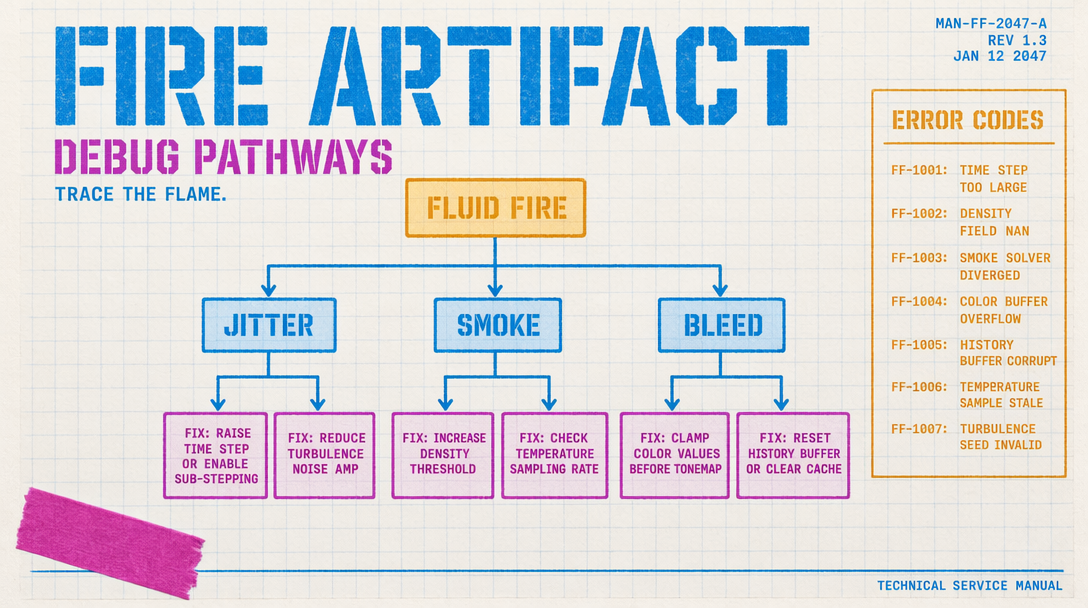
The three artifact classes
Fluid surfaces ripple on a grid. Pour shots at 1080p Pro often develop a faint checkerboard when the liquid slows. You see it in pours, cocktail close ups, and anywhere water is supposed to settle. The ripples are regular, not organic, and they sit still relative to the camera rather than drifting with the fluid.
Fire and smoke drift sideways in shots where they should rise. The model learned that fire moves, so it keeps moving the fire, but it does not always pick the physically correct direction. You see this in static candle shots and product beauty shots where the flame should sit and breathe.
Smoke loops on itself in tight spaces. In rooms or enclosed sets, smoke billows fold back into the volume they came from. It is the model trying to keep the scene stable while adding motion.
Prompt patterns that help
The first instinct is to push cfg_scale higher, expecting stricter adherence to clean things up. Do not. On Kling 3.0 fluid shots, cfg_scale above 0.6 amplifies the exact artifacts you are trying to kill. The simulator gets more confident about its wrong answer. Leave the value at 0.4 or 0.5. If you need the camera to behave, add camera direction in the prompt instead of cranking guidance.
Describe the fluid as a body, not an action. "A full crystal glass of water sitting still, tiny bubbles rising at the rim" outperforms "water pours into a glass" nine times out of ten. You give the model a static state to anchor on. Same for fire: "a single candle flame, tall and calm, flickering once every two seconds" beats "flames dance across the wick."
For smoke in enclosed spaces, give it an exit. "Thin smoke curling up past the lamp and out the top of the frame" tells the model the smoke has somewhere to go. Without the exit, it folds.
When to split the shot
Kling 3.0 supports 3 to 15 second durations. The sweet spot for fluid and fire is 4 to 6 seconds. If you are reaching for a 10 second pour, you are asking the simulator to hold coherence across 300 frames of the content it is weakest on. Split it.
A 12 second cocktail build is three clean 4 second shots: the pour, the swirl, the rest. Each renders clean at 1080p Pro. You cut them together later. When one shot fails, you only lose 4 seconds of credits.
1080p Pro vs 720p Standard
The intuition is that 1080p will be cleaner. For fluid and fire, that is wrong a third of the time. 1080p Pro runs a denser latent, so artifacts are sharper when they do show up. 720p Standard often hides the ripple because the noise floor is higher.
Cost math also favors 720p for iteration. v3 Pro is $0.112 per second without audio and $0.168 per second with audio on. A 5 second Pro shot with audio is 84 cents. The same at Standard is 28 cents. Render at 720p until motion is clean, then do the final at 1080p.
A debug loop that works
Submit at 720p Standard, 4 seconds, cfg_scale 0.5. If the ripple is there, rewrite the prompt to describe a stable state. If not, move to 1080p Pro.
1import { fal } from "@fal-ai/client";23fal.config({ credentials: process.env.FAL_KEY });45const debug = await fal.subscribe(6 "fal-ai/kling-video/v3/standard/text-to-video",7 {8 input: {9 prompt: "a single candle flame, tall and calm, flickering once every two seconds, dark background",10 duration: 4,11 cfg_scale: 0.5,12 aspect_ratio: "16:9"13 }14 }15);1617console.log(debug.data.video.url);
Two iterations at Standard, one final at Pro. That is the shape of a clean sim shot budget. The moment you find yourself on the fifth iteration at Pro, back up and split the shot.